500GB FREE DATA
Get unbelievable value with UNI5G Postpaid 39. Sign up today for non-stop connectivity.

FIND THE BEST UNLIMITED POSTPAID PLAN FOR YOU
Enjoy an unlimited postpaid plan experience for you and your family with the best mobile postpaid plan in Malaysia.
Explore our wide range of mobile plans tailored to suit every need, ensuring seamless connectivity wherever you go.
Explore our wide range of mobile plans tailored to suit every need, ensuring seamless connectivity wherever you go.
For Individuals
Unlimited 5G, just for You
For Family
Maximum value for your family
For Individuals
Unlimited 5G, just for You
For Individuals
Unlimited 5G, just for You
For Family
Maximum value for your family
ONLINE EXCLUSIVE
BEST VALUE
UNI5G Postpaid 39
50GB (5G/4G) Data
What's included
 No contract
 Unlimited Calls
 RM0.15 per SMS
 Hotspot available (up to 50GB)
 Unlimited ad-free movies, TV shows, and mobile games
RM39/mth
Add-on Extra Data
 10GB for RM10 / 50GB for RM45
Limited Time Offer!

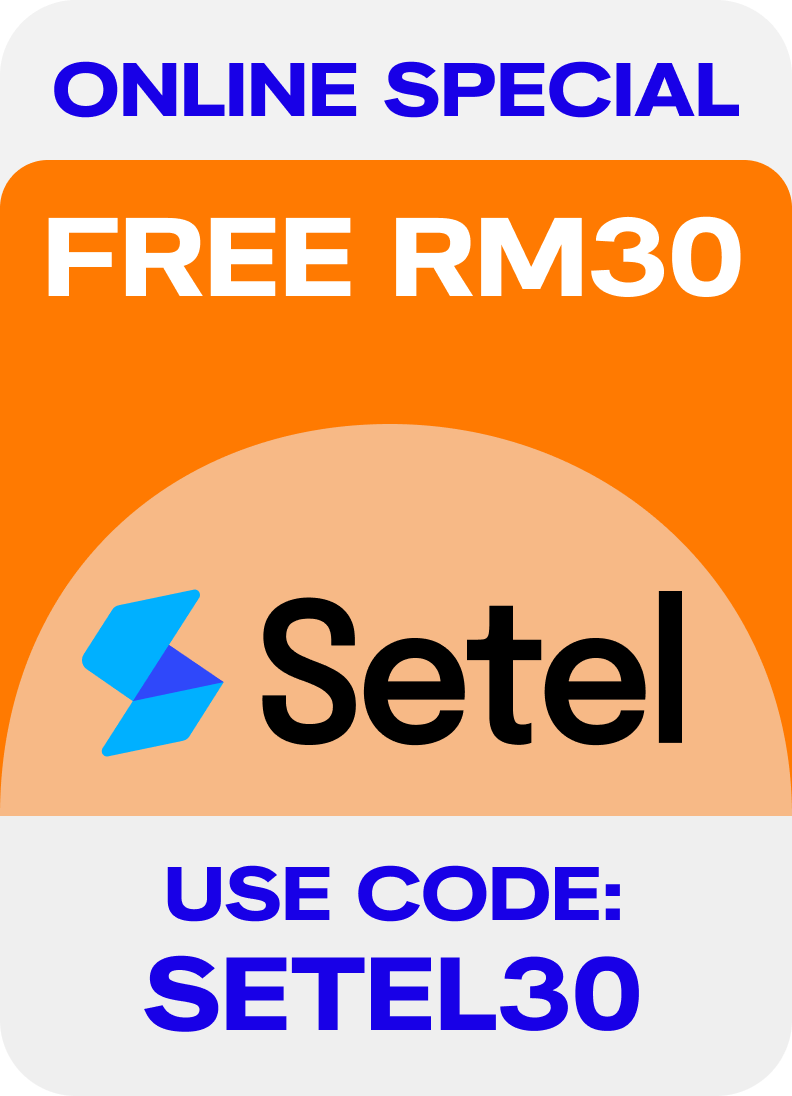
Free RM30 SETEL Voucher
Exclusively for Online Signup only
Enter promo code SETEL30 on the Review Order page.
 FREE 500GB 5G/4G data
with 6 months contract, walk-in to our nearest Unifi Store, or subscribe via MyUnifi app for RM6/monthly
Get additional 200GB data for only RM1
with 100GB 5G and 100GB 5G/4G
UNI5G Postpaid 69
500GB (5G/4G) Data
What's included
No contract
Unlimited Calls
RM0.15 per SMS
Hotspot available (up to 500GB)
Optional Bundle:

RM
69
/mth
UNI5G Postpaid 99
Unlimited 5G/4G
Free Upgrade 100GB (4G+5G) Data
What's included
No contract
Unlimited Calls
RM0.15 per SMS
Hotspot available (up to 100GB)
Optional Bundle:
RM
99
/mth
Limited Time Offer UNLIMITED* 5G/4G
UNI5G Postpaid Family 129
Unlimited 5G/4G
Free Upgrade 150GB (4G+5G) Data
What's included
 1 + 1 SIMs (1 Family Line)
No contract
Unlimited Calls
RM0.15 per SMS
Hotspot available, with 150GB limit for Principal and 30GB for each supplementary line.
1 + 1 SIMs (1 Family Line)
No contract
Unlimited Calls
RM0.15 per SMS
Hotspot available, with 150GB limit for Principal and 30GB for each supplementary line.
Optional Bundle:
RM
129
/mth
 Max 5 Family Lines, add Family Line at RM39/Mth with 30GB/SIM
Limited Time Offer UNLIMITED* 5G/4G
UNI5G Postpaid Family 159
Unlimited 5G/4G
Free Upgrade 200GB (4G+5G) Data
What's included
1 + 2 SIMs (2 Family Line)
No contract
Unlimited Calls
RM0.15 per SMS
Hotspot available, with 200GB limit for Principal and 30GB for each supplementary line.
Optional Bundle:
RM
159
/mth
Limited Time Offer UNLIMITED* 5G/4G
UNI5G Postpaid Family 189
Unlimited 5G/4G
Free Upgrade 250GB (4G+5G) Data
What's included
1 + 3 SIMs (3 Family Line)
No contract
Unlimited Calls
RM0.15 per SMS
Hotspot available, with 250GB limit for Principal and 30GB for each supplementary line.
Optional Bundle:
RM
189
/mth
Power up your POSTPAID with streaming app add-ons

RM8.40
(RRP: RM19.90)

RM8.40
(RRP: RM14.90)

RM8.90
(RRP: RM13.90)

RM9.90
(RRP: RM11.90)

RM9.90
(RRP: RM18.99)

RM13.60

RM16.00
(RRP: RM24.90)
Boost your UNI5G POSTPAID Experience
Streaming App Add-Ons
RM1 200GB Data Pass
Subscribe your favorite streaming apps straight from the Unifi UniVerse app.
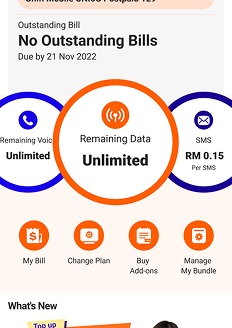
STEP 1
Log in to the app. Go to your
profile and tap“Buy Add-ons”
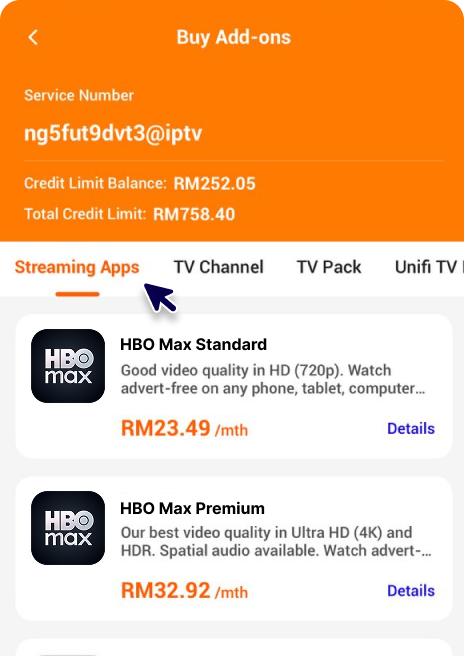
STEP 2
From the tap menu, select
“Streaming Apps”
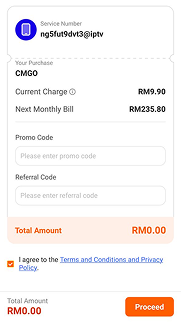
STEP 3
Pick your app, agree to the T&C,
and tap Proceed/Submit
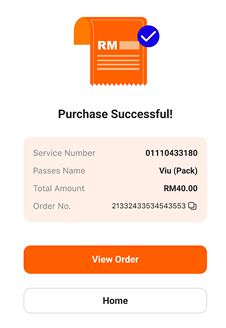
STEP 4
You’re all set!
Subscription completed.
Enhance your mobile experience with Unifi’s RM1 200GB Data Pass Add-On promo, available exclusively with our mobile postpaid plans.
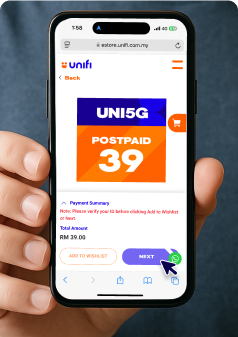
STEP 1
Subscribe & activate UNI5G Postpaid 39
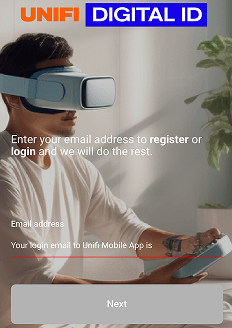
STEP 2
Log in to Unifi UniVerse App or Unifi Selfcare Portal
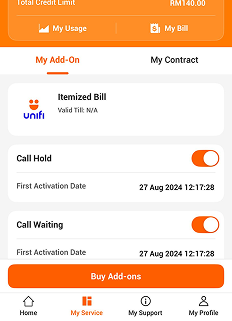
STEP 3
Click “Buy Add-ons”
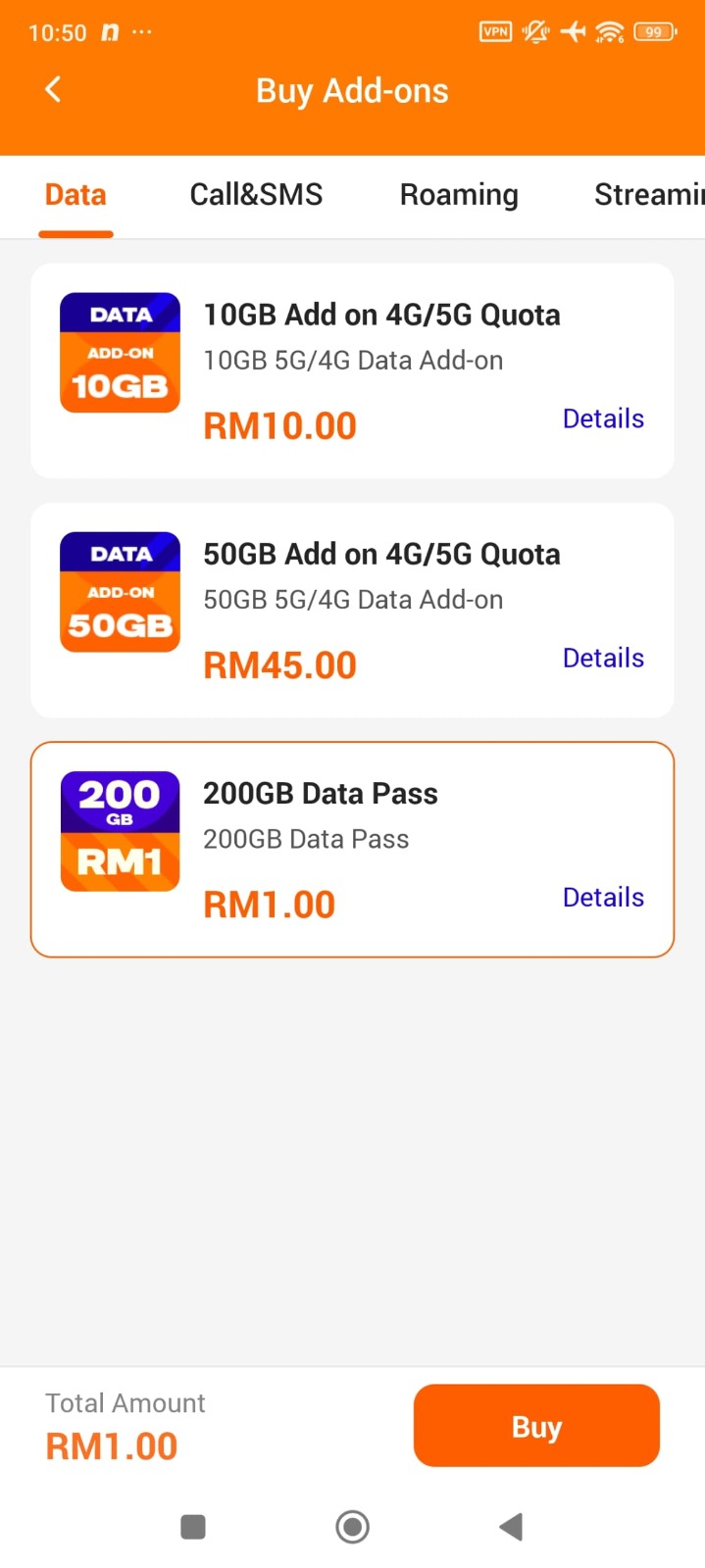
STEP 4
Choose data pass “200GB Data Pass & Click “Buy”
FREE 5G PHONE AWAITS
Pair your free phone with Unlimited Data as low as RM69/month.
*T&C apply
*T&C apply

EASY PHONE UPGRADE
0% interest. No credit card needed.
*T&C apply
*T&C apply

500GB FREE DATA!
Get unbelievable value with UNI5G Postpaid 39. Sign up today for non-stop connectivity.

Don't Miss Out On This Exclusive Postpaid with Netflix Bundle!
Get Netflix & unlimited 5G with easy sign up, no contract! T&C apply

WHY POSTPAID USERS CHOOSE
UNI5G POSTPAID MOBILE PLANS
Experience the freedom of Unifi’s UNI5G postpaid plans, designed to meet every need with high-speed connectivity and unbeatable value.

Stay Connected Anywhere
Our mobile postpaid plan offers postpaid unlimited data and the widest coverage to keep you
connected at all times.

Easy Switch
Switching to our postpaid plan is simple, free, and gives you the freedom to choose the best option
for your needs.

Family Plans
We offer affordable postpaid plans designed for family use, ensuring everyone stays connected with
unlimited data.

Stay Connected Abroad
Travel globally with peace of mind, using our mobile postpaid plan that offers unlimited data
without hidden fees.

Roam the World with Unifi Mobile Roaming
Travel abroad while staying connected with unlimited data from as low as
RM 9.


International Direct Dial
Check out our IDD rates to any number in the world.


Enjoy Your Postpaid Plan
On a New 5G Device
Maximise your postpaid plan with phone by pairing it with the latest 5G devices
available in the market.

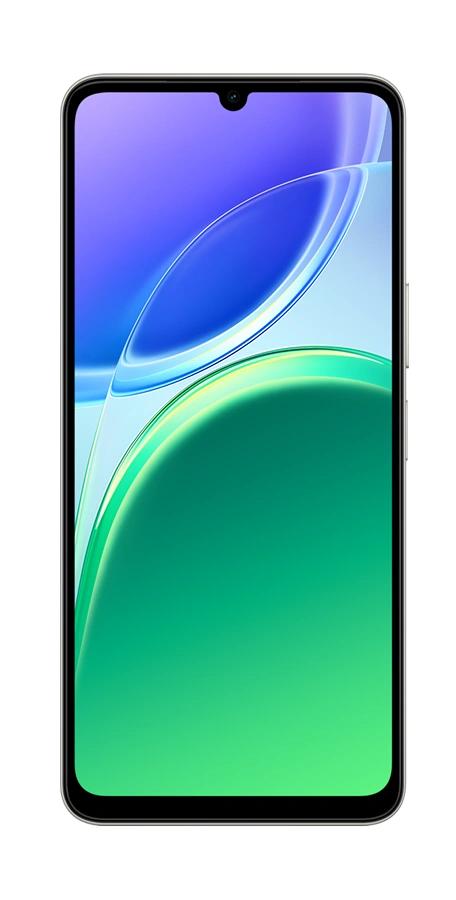

VIVO Y11 5G
RRP RM1099
FREE with
UNI5G Postpaid 99
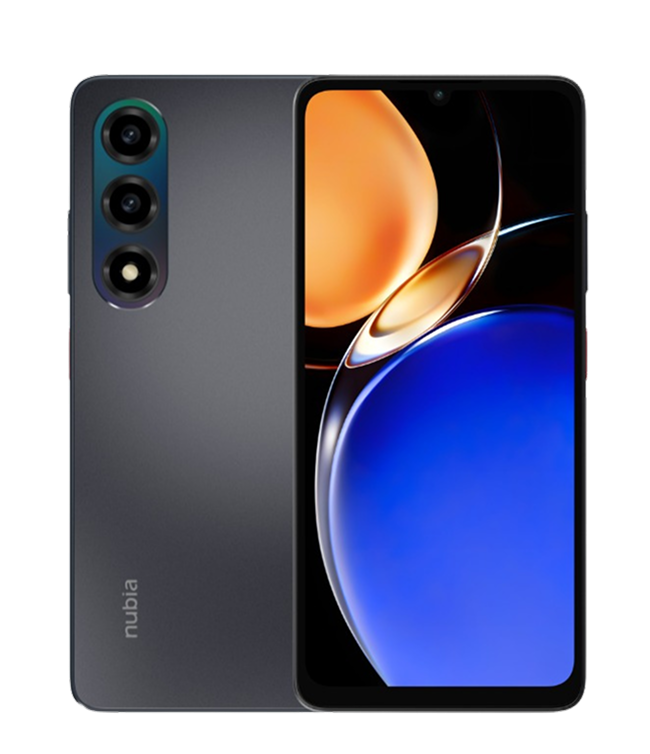
Nubia A77 5G
RRP RM1099
FREE with
UNI5G Postpaid 99
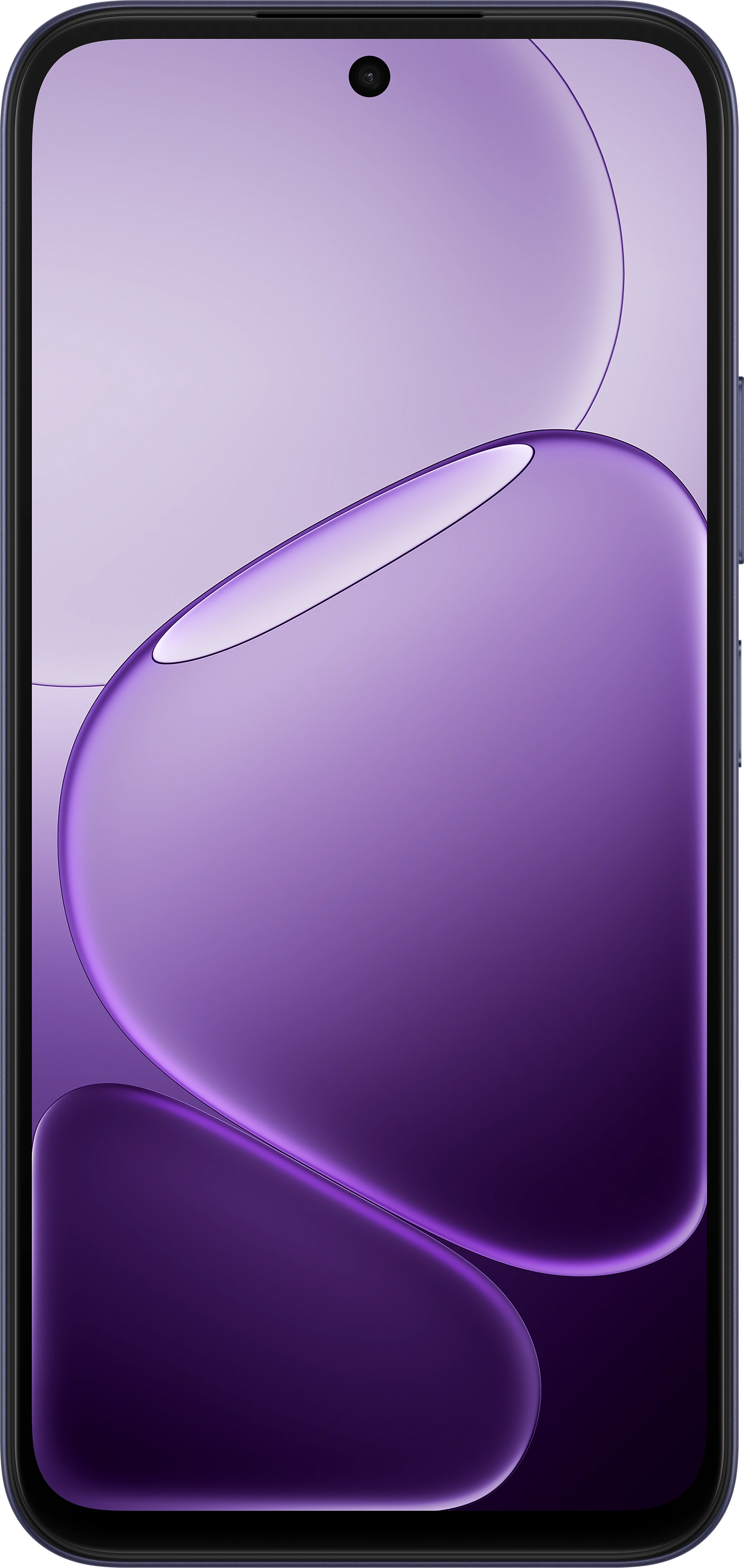
Oppo A6T 5G
RRP RM1,099
FREE with
UNI5G Postpaid 99
Other Devices

FREQUENTLY ASKED QUESTIONS
UNI5G Postpaid is the latest postpaid plan from Unifi Mobile that provides you with the most
UPSIZED value. It offers convergence benefits for both mobile and home services and ensures
seamless onboarding into 5G devices for you.
All of you! We welcome everyone; Malaysian or Non-Malaysian, aged 18 years and above, to
subscribe to our new UNI5G Postpaid plans.
This promotion is only applicable when you subscribe to UNI5G Postpaid 39 and is exclusive to online channels: Unifi Self Care, Portal (Postpaid), MyUnifi App, and Unifi UniVerse App. Enter promo code SETEL30 on the Review Order page during checkout and activate your SIM successfully to receive your FREE RM30 Setel voucher.
Yes, you are entitled to sign up for a maximum of three (3) Principal lines per
NRIC/Passport and maximum of five (5) supplementary lines per principal (FREE &
Chargeable Supplementary Lines)
UNI5G Postpaid Supplementary 39 is only applicable for the Family Plans.
UNI5G Postpaid Supplementary 39 is only applicable for the Family Plans.
Yes. You can port in and subscribe to UNI5G Postpaid plans, provided you do not have any
outstanding balance, are not blacklisted, or under contract with your current mobile service
provider.
Yes, there is a delivery charge of RM10.60 per delivery in a single order.
- To activate iMessage & Facetime:
Go to Settings > Select Message or Facetime > Enable iMessage or Facetime toggle function > Click OK on the message prompt.
It is highly recommended that you activate iMessage and Facetime services by using your Apple ID.
- To enable Personal Hotspot on your iPhone:
- Go to Settings > Mobile Service > Mobile Data Network.
- Under Personal Hotspot, enter ‘unifi’ in the APN & Username fields (leave Password blank).
- Return to Mobile Service settings and tap Personal Hotspot and switch on Allow Others to Join.
You're all set to share your internet! If Personal Hotspot doesn’t appear, try restarting your phone and checking your APN settings again.
The UNI5G Postpaid Netflix Bundle is our latest postpaid plan from Unifi Mobile — and Malaysia’s first all-in-one postpaid bundle with unlimited data plus a Netflix Basic subscription.
HELLO Unifi UniVerse!
We have rebranded and you can now manage both your home broadband & mobile accounts in a single app*! Download today and enjoy convenience in a single app, and app exclusive offers you don’t want to miss!
*applicable for Home Broadband subscriptions from 17 March 2025 only